Child Desk Posture Guide

Mukesh Kumar
| 25-08-2026
 · News team
Children spend substantial time at desks for reading, writing, drawing, homework, and computer activities.
A well-designed workstation can make these tasks more comfortable and support efficient movement.
The most important principle is simple: the desk and chair should fit the child’s size and the activity being performed.
Why Ergonomics Matters
Pediatric ergonomics focuses on creating a workspace that provides stability while allowing natural movement. Good posture is not about keeping the body completely still or maintaining one exact position.
An appropriately fitted workstation can help children work comfortably and use their hands and arms efficiently during activities that require concentration and fine-motor control.
“It is important that children have a good stable base of support for them to achieve maximum fine motor control.” — West Suffolk NHS Foundation Trust, Paediatric Occupational Therapy Service, Seating and Posture.
Choose the Right Chair
The child should sit toward the back of the chair with the back comfortably supported. Both feet should ideally rest flat on the floor.
If the chair is too high for the child’s feet to reach the floor, a stable footrest can provide support. The seat should also provide enough depth for comfortable sitting without pressing against the backs of the knees.
As children grow, their seating needs change. Check the chair periodically and adjust it when necessary.
Set the Desk at the Right Height
The desk should correspond to the child’s seated height. A surface that is too high can cause the shoulders to rise, while one that is too low may encourage excessive forward bending.
When the child is seated comfortably, the work surface should be approximately at elbow level. The forearms should be able to rest on the desk while the shoulders remain relaxed.
There should also be enough space underneath the desk for the child to move their legs freely.
Create a Balanced Sitting Position
A practical seated position includes:
- Bottom toward the back of the chair
- Back comfortably supported
- Feet flat on the floor or a stable footrest
- Hips and knees comfortably bent
- Forearms supported during tabletop activities
- Shoulders relaxed
- Adequate legroom
Approximately 90-degree angles at the hips and knees can be a useful starting point, but children do not need to maintain these angles continuously. Changing position is a normal part of comfortable sitting.
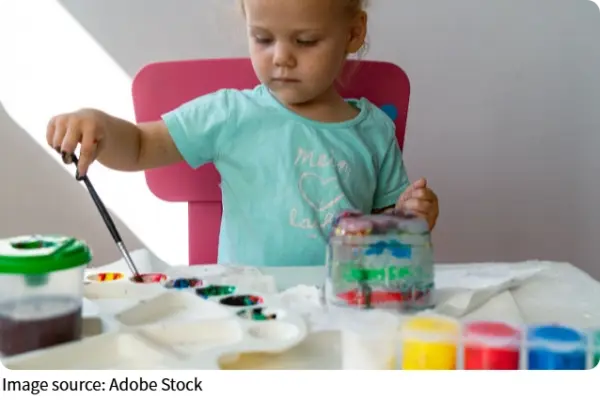
Position Writing Materials Correctly
Books, notebooks, and frequently used supplies should be within easy reach. This reduces unnecessary stretching, twisting, or leaning across the desk.
If a child tends to bend forward while writing, an angled writing surface can bring the work into a more comfortable position and may support a more upright working posture during handwriting activities.
Set Up the Computer Comfortably
Computer equipment should allow the child to work without repeatedly leaning forward or bending the neck.
Position the screen at a comfortable viewing height so the child can see it clearly without maintaining a prolonged downward or upward neck position. The keyboard and mouse should be close enough to use without excessive reaching.
For laptops and tablets, the same principle applies: the screen and input devices should be positioned according to the child’s size and the task.
Encourage Regular Movement
Children should not be expected to remain in one position throughout homework or screen activities. Encourage natural position changes and brief movement opportunities during longer periods of sitting.
A movement break can include walking around the room, getting a drink, standing briefly, or changing to another activity. The aim is to interrupt prolonged sitting while allowing the child to return comfortably to the task.
Use Comfortable Lighting
The study area should have enough light for reading and writing without creating distracting glare.
Place additional lighting where needed while avoiding reflections on screens or strong shadows across the child’s work. The child should be able to see books, writing materials, and screens clearly without repeatedly moving closer.
If a child consistently has difficulty seeing their work, this should be discussed with an appropriate healthcare professional rather than assuming that changing the desk alone will solve the problem.
Recognize When the Setup Needs Adjustment
Parents can occasionally observe the child’s position during homework. Frequent leaning forward, sitting on the edge of the chair, raised shoulders, or difficulty staying comfortably positioned may indicate that the workstation needs reassessment.
If a child regularly experiences pain or discomfort during desk activities, the cause should not automatically be attributed to posture. Persistent symptoms should be assessed by a qualified healthcare professional.
Recheck the Workstation as the Child Grows
A workstation that fits a child well today may not remain suitable as their height and body proportions change.
Periodically check:
- Whether the feet still reach the floor or footrest
- Whether the chair provides adequate support
- Whether the desk remains close to elbow level
- Whether there is sufficient legroom
- Whether the screen remains at a comfortable viewing height
- Whether the child can complete tasks without excessive reaching or bending
Adjustable furniture can make these changes easier, but regular reassessment remains important.
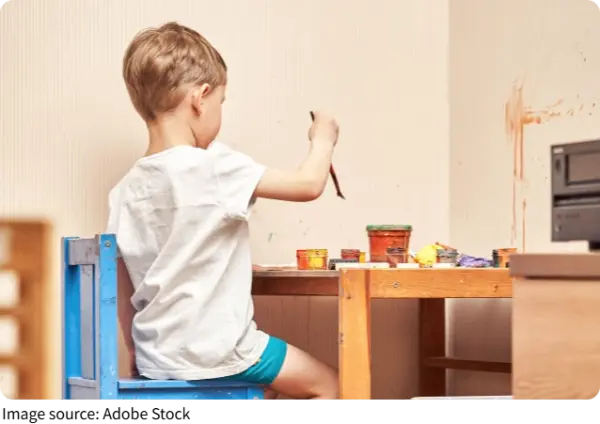
A well-designed children’s workstation should provide appropriate support, comfortable positioning, and freedom to move. A suitable chair, correctly positioned desk, supported feet, accessible materials, comfortable screen placement, adequate lighting, and regular movement can create an effective environment for learning.
The goal of pediatric ergonomics is not to make children maintain a perfect posture. It is to create a workspace that fits their growing bodies, supports everyday activities, and allows them to work comfortably and naturally.